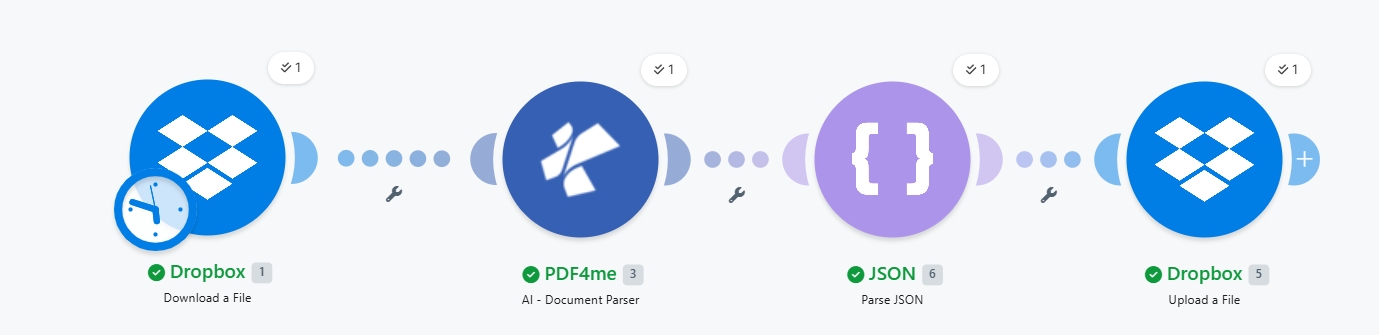
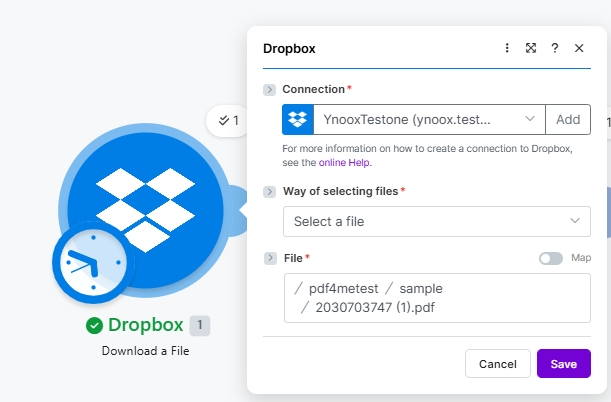
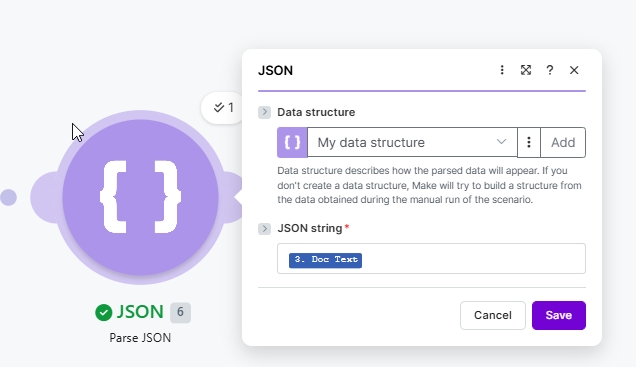
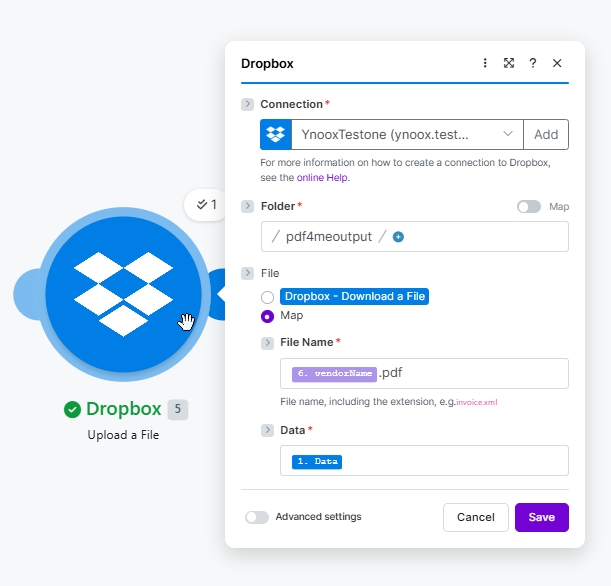
这是一个可复用的 Make 场景,用于应付账款/入库文档自动化。触发条件(手动、按计划触发、文件监视、Webhook)触发后,AI 会解析供应商 PDF 文件,然后根据文件内容生成一个有意义的文件名,并将该文件重新上传。您还可以添加其他 PDF4me 分析器模板(例如收据、合同、采购订单、自定义表单),以相同的流程处理其他文档类型。
The AI module did not run yet. execute the scenario once with Run once. Make builds the data structure from the live output of Module 2 on first execution.
Renamed file has no .pdf extension
Forgot the literal .pdf text after the vendorName token. Click the File Name field, place the cursor after the parsed token, and type .pdf.
Upload writes an empty file
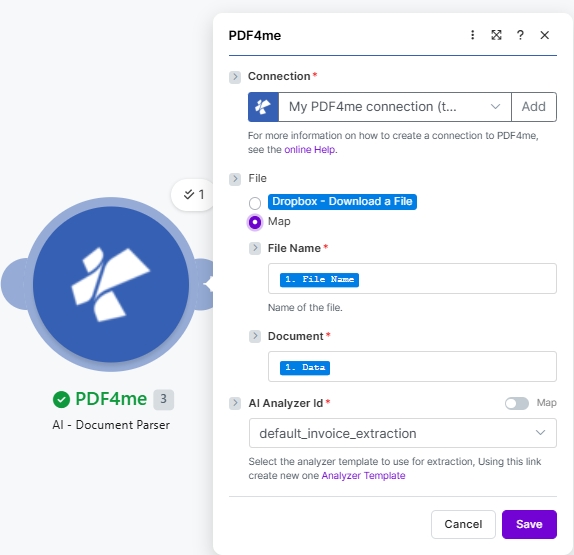
Data is bound to the wrong source. It should be Module 1 (original Dropbox download). 1. Data, not the AI output. The AI module returns metadata, not a binary file.
vendorName comes back as empty or wrong
The Analyzer Template did not match the document layout. Try a different built-in template, or create a custom template at dev.pdf4me.com tuned for the layout of your vendors.
Want to extract more than vendor name
Any field in the Analyzer Template is exposed as a token after Parse JSON. Drop invoiceNumber, totalAmount, lineItems, etc anywhere you would drop a normal Make variable.
AI Analyzer Id dropdown is empty
No analyzer templates exist on your PDF4me account yet. Open dev.pdf4me.com, navigate to the Analyzer Templates section, and either pick the built-in default_invoice_extraction or create a custom template.
What is the difference between AI - Document Parser and AI-Invoice Parser?+
AI-Invoice Parser uses a fixed invoice schema (vendor, line items, totals, dates) and returns confidence scores. AI - Document Parser is template-driven via the AI Analyzer Id, so you can swap the document type by picking a different template. Use AI-Invoice Parser for AP-only workflows; use AI - Document Parser when you handle multiple document types or need a custom field set.
Where do I create a custom Analyzer Template?+
From the AI Analyzer Id dropdown click the Analyzer Template link in the hint, or visit dev.pdf4me.com. Define the fields you want extracted, name the template, save. The new template appears in the AI Analyzer Id dropdown in Make on the next scenario edit.
Why is Data on the Upload module bound to Module 1 instead of Module 2?+
Because the AI module only returns metadata (the extracted JSON on Doc Text), not a binary file. The original PDF lives on Module 1 Data. Re-using it on the upload avoids re-encoding and keeps the output identical to the input.
How do I add the .pdf extension to the renamed file?+
After dropping the parsed vendorName token into File Name, place the cursor right after it and type the literal text .pdf. Make stores File Name as a mixed string (token + literal), and the upload writes the file with the combined name.
Can I trigger this from email, SharePoint, or a webhook instead of a scheduled Dropbox download?+
Yes. Replace Module 1 with any module that produces a binary file and a filename: Gmail Get Attachments, SharePoint Get file content, OneDrive Download a File, Webhooks Custom webhook with file payload. Modules 2, 3, 4 stay identical.
How big can the input PDF be?+
Practical limits are bounded by Make operation timeouts and the PDF4me API payload limit. For multi-hundred-MB documents, downsample first via a PDF4me Compress action then run AI - Document Parser on the result.
Does this work in Power Automate, n8n, or Zapier?+
Yes. The PDF4me AI - Document Parser action is available on all four platforms with the same Analyzer Template concept. See the cross-platform comparison at the bottom of the Make action reference page.
How accurate is the extraction?+
Accuracy depends on document layout consistency and the Analyzer Template fit. Built-in templates like default_invoice_extraction are tuned across thousands of vendor invoices. For custom layouts that the AI mis-reads on, build a custom Analyzer Template in dev.pdf4me.com with examples of your specific format.