PDF4me Agent Skills Getting Started
PDF4me Agent Skills are installable skill packages from the public pdf4me-skills repository on GitHub. They teach AI coding assistants how to use the PDF4me REST API: correct endpoints, payload shapes, auth headers, and feature routing across convert, merge, split, OCR, extract, generate, Excel, Word, image, form, and security operations.
This is a separate product surface from PDF4me MCP. MCP connects a live tool server (uvx pdf4me-mcp) so the client can invoke PDF4me actions as tools during chat. Agent Skills load structured API guidance into the agent so it can write and run REST API code correctly.
| PDF4me Agent Skills | PDF4me MCP | |
|---|---|---|
| What it is | Skill package with API reference and routing rules | MCP server that exposes PDF4me as callable tools |
| Install | npx skills add … or Claude Code /plugin commands | uvx pdf4me-mcp in client MCP config |
| Best for | Agents that write scripts, curl, or app code against the REST API | Agents that call tools directly from the chat UI |
| Repo | github.com/pdf4me/pdf4me-skills | github.com/pdf4me/pdf4me-mcp |
Prerequisites
- A PDF4me account and API key
- Access to the PDF4me REST API at
https://api.pdf4me.com - One supported AI client (see installation paths below)
What ships in the repo
The first published skill is pdf4me-api. It follows the Agent Skills format:
| Path | Purpose |
|---|---|
skills/pdf4me-api/SKILL.md | Skill manifest, when to use it, and API category routing |
skills/pdf4me-api/references/ | Endpoint notes grouped by feature (convert, edit, extract, generate, …) |
skills/pdf4me-api/examples/ | Small example scripts for common flows |
When a user asks to convert a PDF, merge files, run OCR, fill a form, or call any PDF4me endpoint, the agent should load this skill and follow the reference files for the matching category.
Choose your installation path
- Claude Code (plugin marketplace)
- npx skills (Cursor, Copilot, Codex, …)
Use this path when you work in Claude Code (the terminal-based Claude coding agent). Installation uses Claude's built-in plugin commands, not npx skills.
Step 1: Add the PDF4me skills marketplace
In your project directory, run:
/plugin marketplace add pdf4me/pdf4me-skills
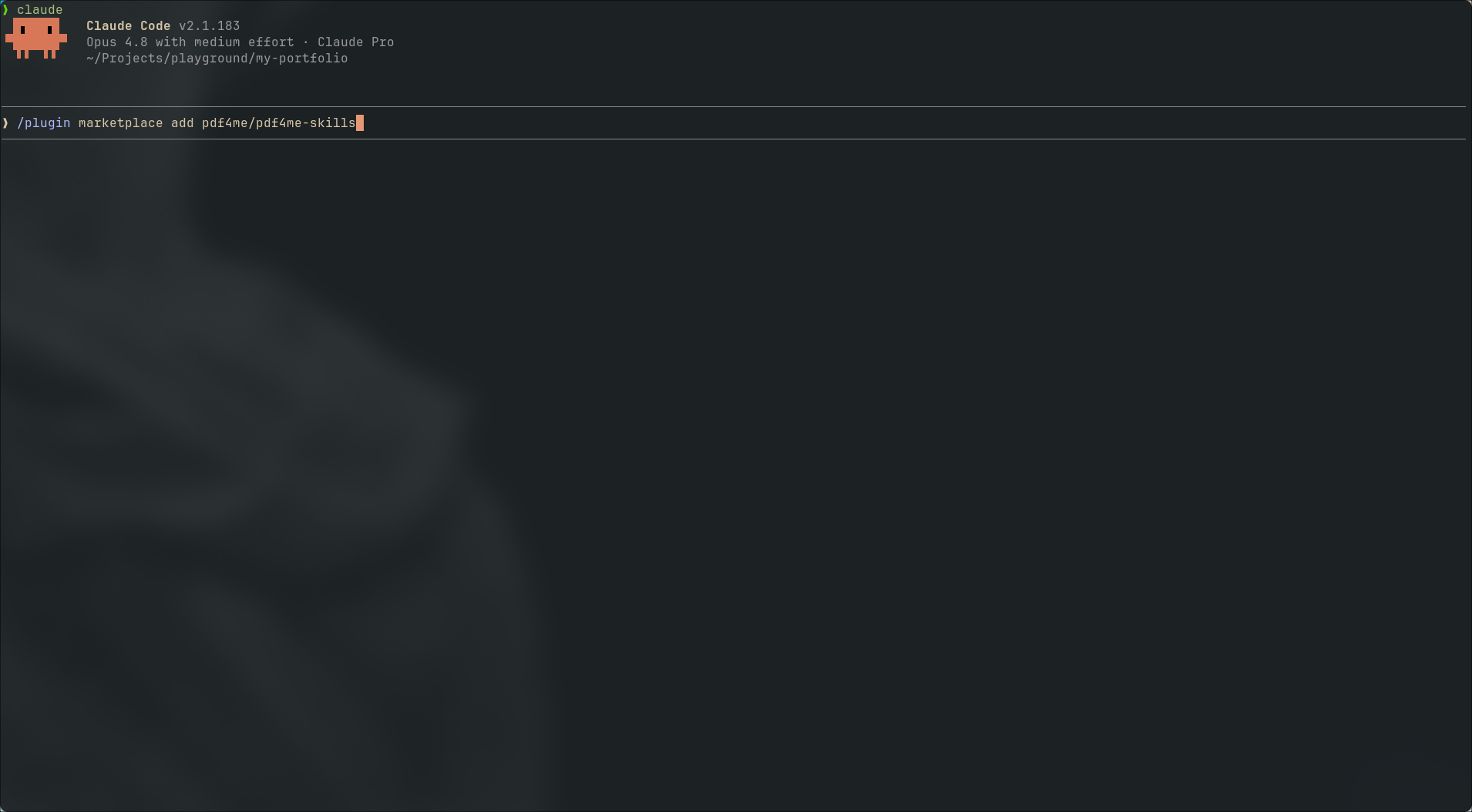
Add the pdf4me-skills marketplace from GitHub.
When the marketplace registers successfully, Claude Code confirms:
Successfully added marketplace: pdf4me-skills
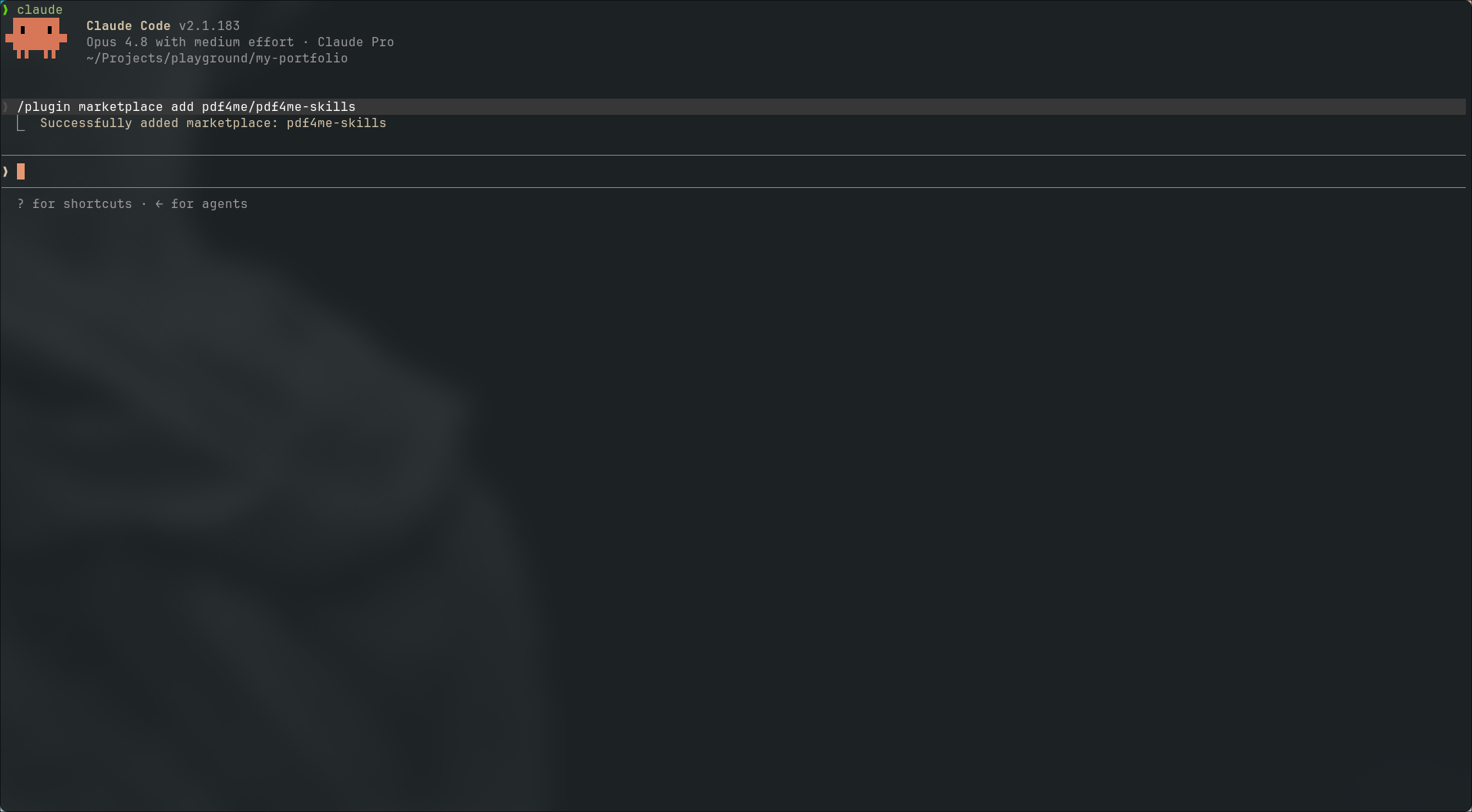
Confirmation that the marketplace was added.
Step 2: Install the pdf4me-api plugin
Start the install command. You can type /plugin install pdf and pick the match from autocomplete:
/plugin install pdf4me-api@pdf4me-skills
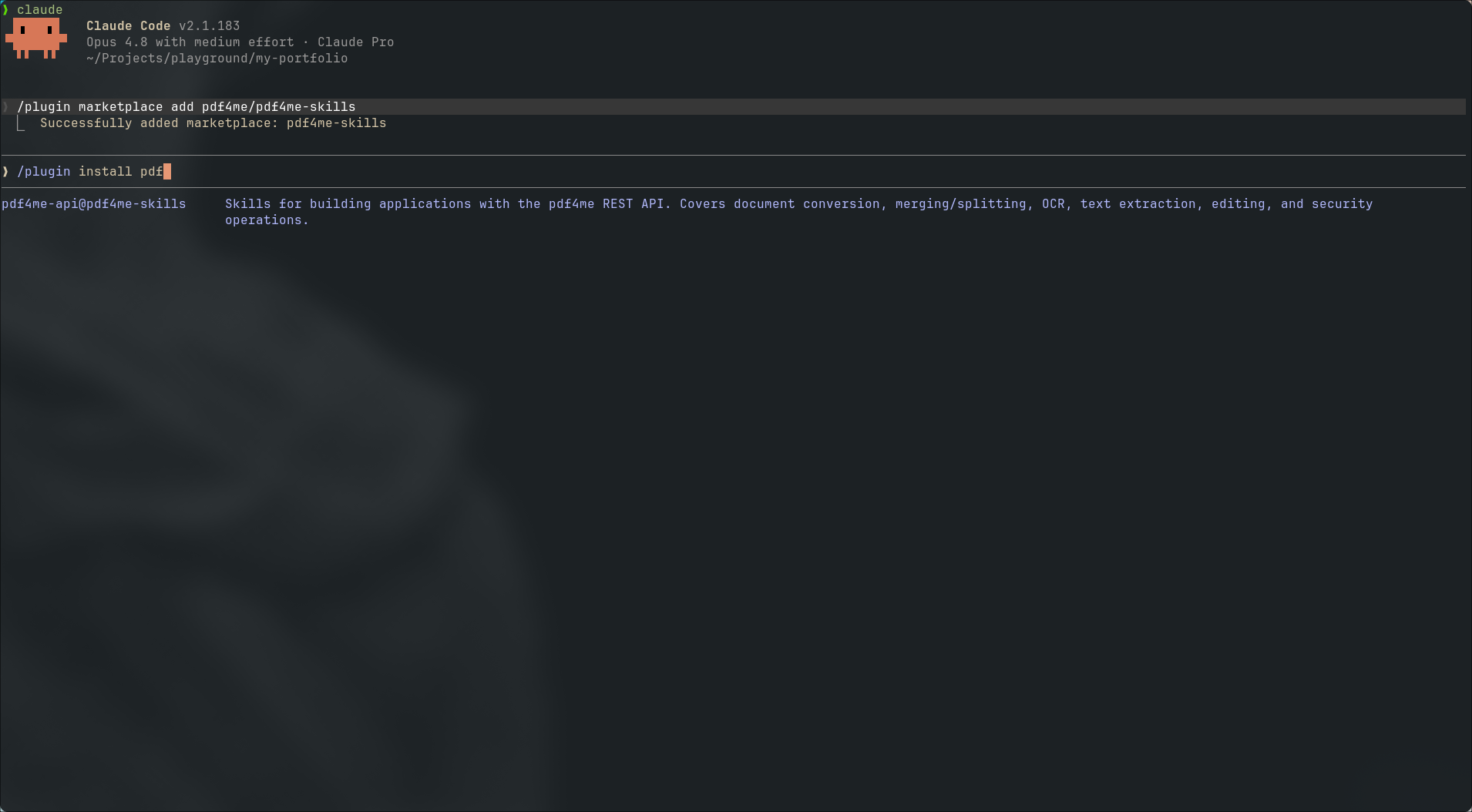
Select pdf4me-api@pdf4me-skills from the plugin list.
Claude Code shows the plugin details and asks for an installation scope:
- Install for you (user scope) — available in all your projects
- Install for all collaborators on this repository (project scope) — shared via repo config
- Install for you, in this repo only (local scope) — only this checkout
Pick the scope that matches how you work. For a personal sandbox, local scope or user scope is typical.
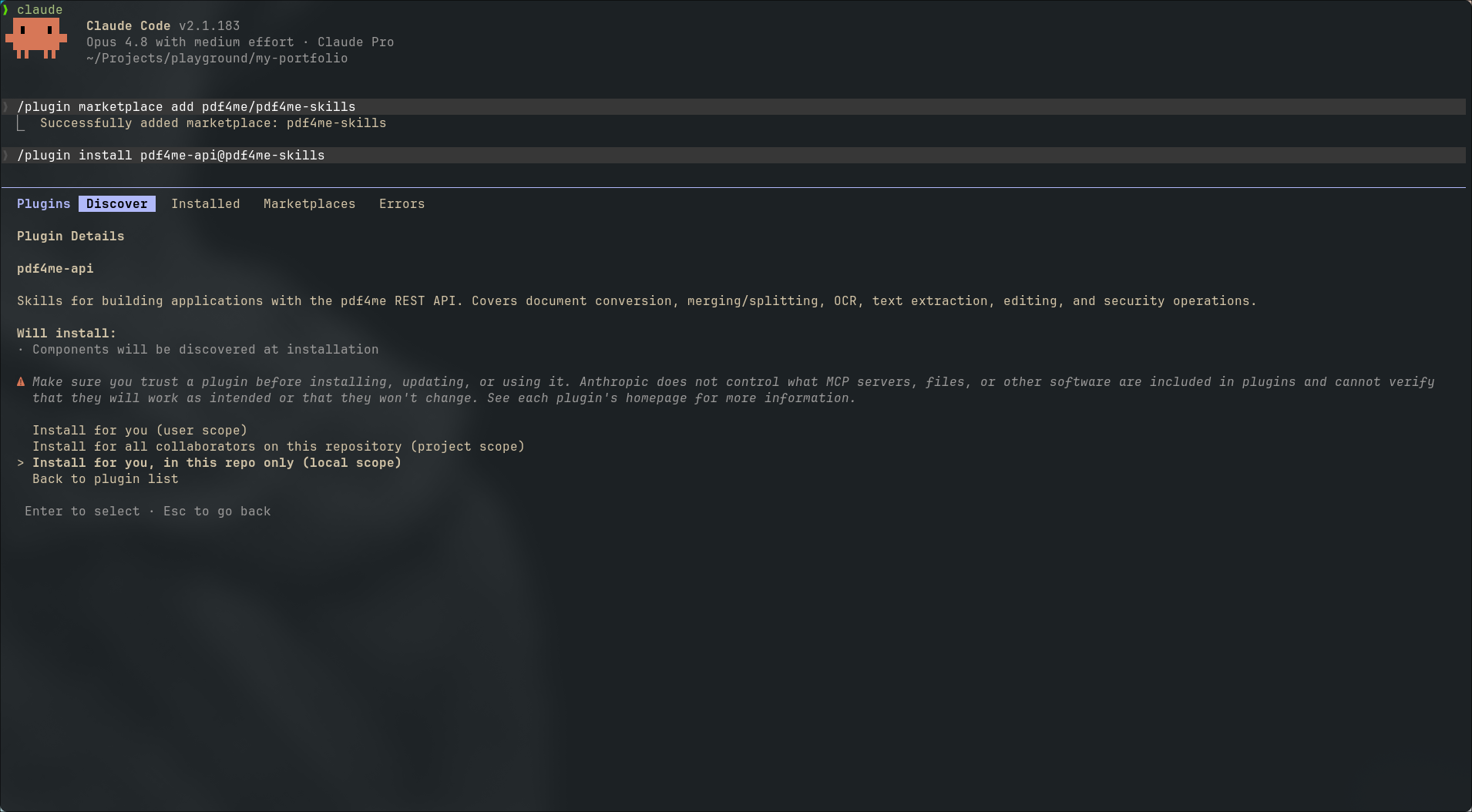
Choose user, project, or local installation scope.
Step 3: Reload plugins
After installation completes:
✓ Installed pdf4me-skills. Run /reload-plugins to apply.
Run:
/reload-plugins
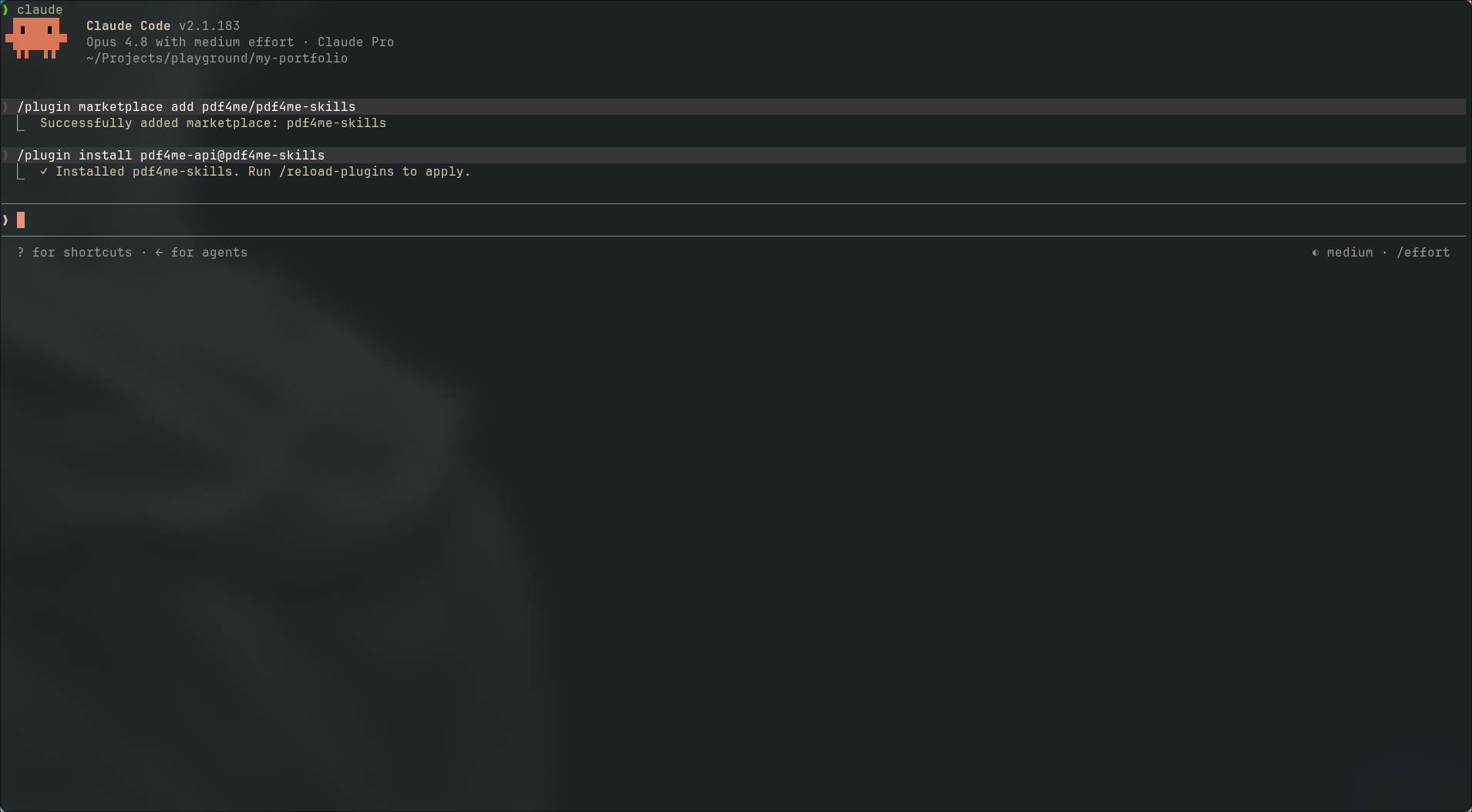
Reload plugins so Claude Code picks up the new skill.
The skill is now active in Claude Code for this scope.
Use this path for Cursor, GitHub Copilot, OpenAI Codex, Cline, Gemini CLI, Windsurf, Zed, and 70+ other agents supported by the skills CLI.
Step 1: Run the install command
From your project directory:
npx skills add https://github.com/pdf4me/pdf4me-skills.git --skill pdf4me-api

One command clones the repo and starts the interactive installer.
The CLI clones pdf4me-skills, finds the pdf4me-api skill, and opens an agent picker.
Step 2: Select target agents
Universal agents (for example Cursor, Cline, Codex, GitHub Copilot, Gemini CLI, Warp, Zed) are pre-selected into .agents/skills. Use the searchable list to add or remove agents such as Claude Code, OpenClaw, or IBM Bob.
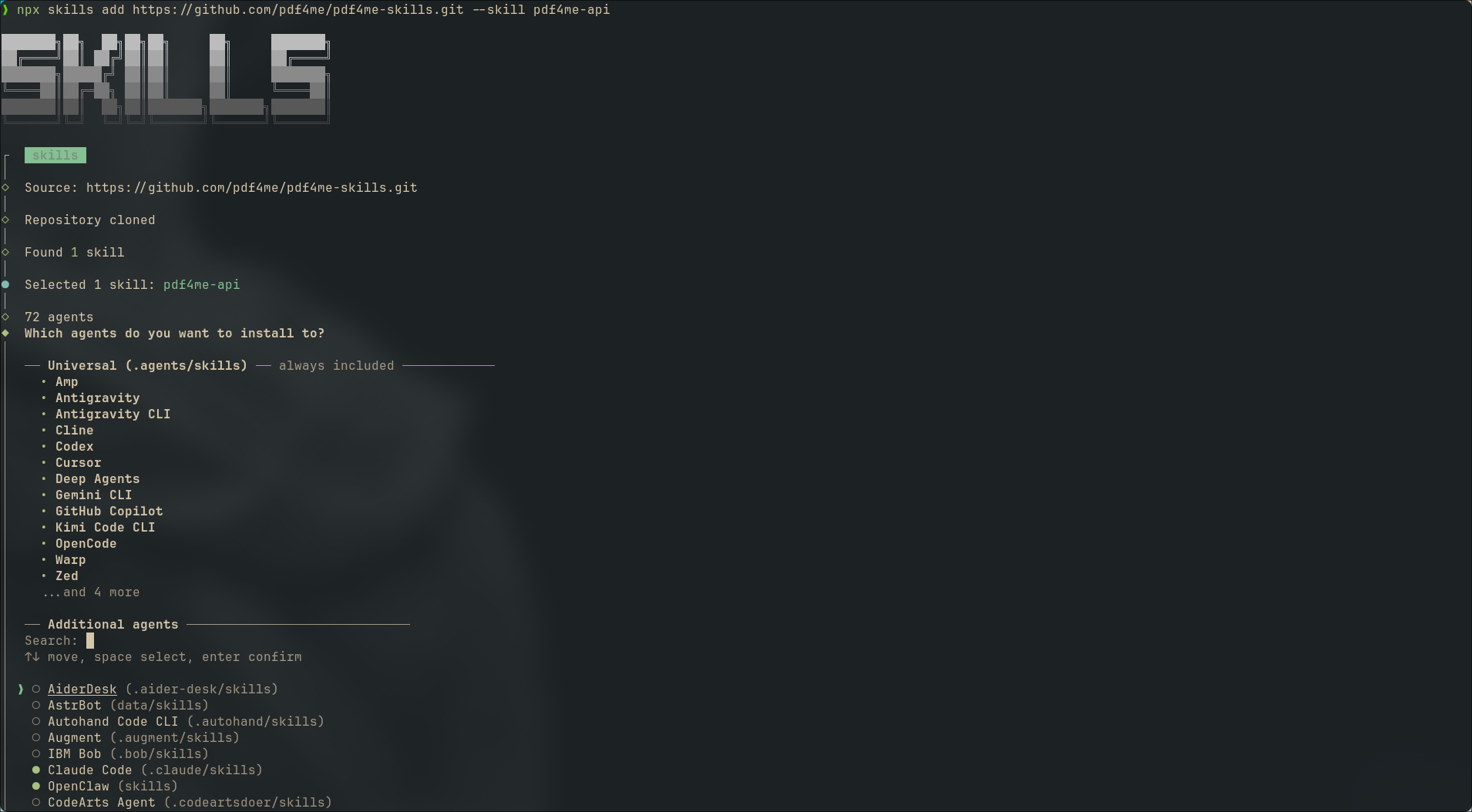
Pick every agent you use day to day.
Use Space to toggle agents, ↑↓ to move, Enter to confirm.
Step 3: Choose installation scope
| Scope | When to use |
|---|---|
| Project | Skill lives in the current repo (for example .agents/skills/pdf4me-api) and can be committed for your team |
| Global | Skill is installed for your user account across all projects |
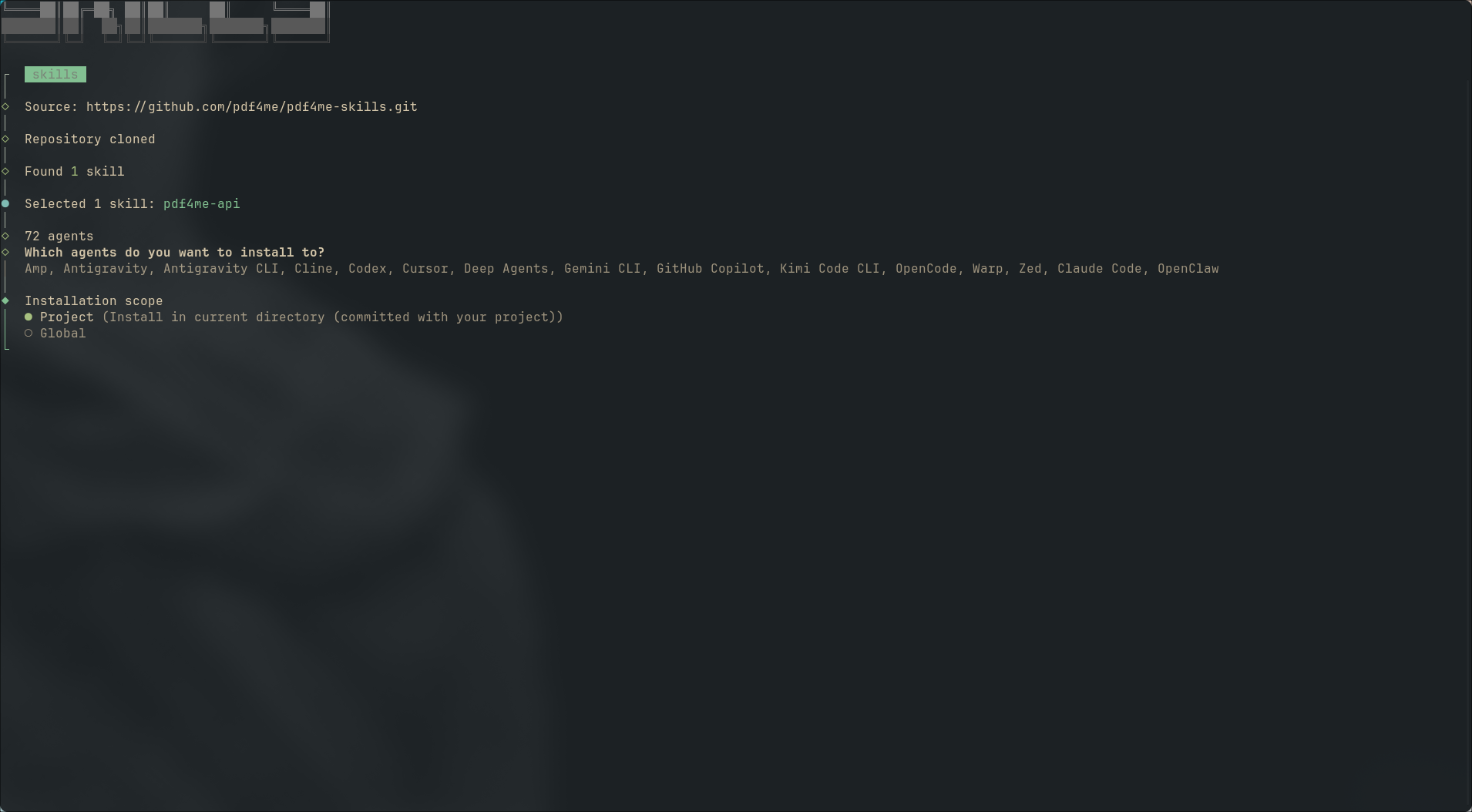
Project scope keeps the skill with your repository.
Step 4: Choose installation method
| Method | Behavior |
|---|---|
| Symlink (Recommended) | Single source of truth under .agents/skills; easy to update |
| Copy to all agents | Duplicates files into each agent's skills folder |
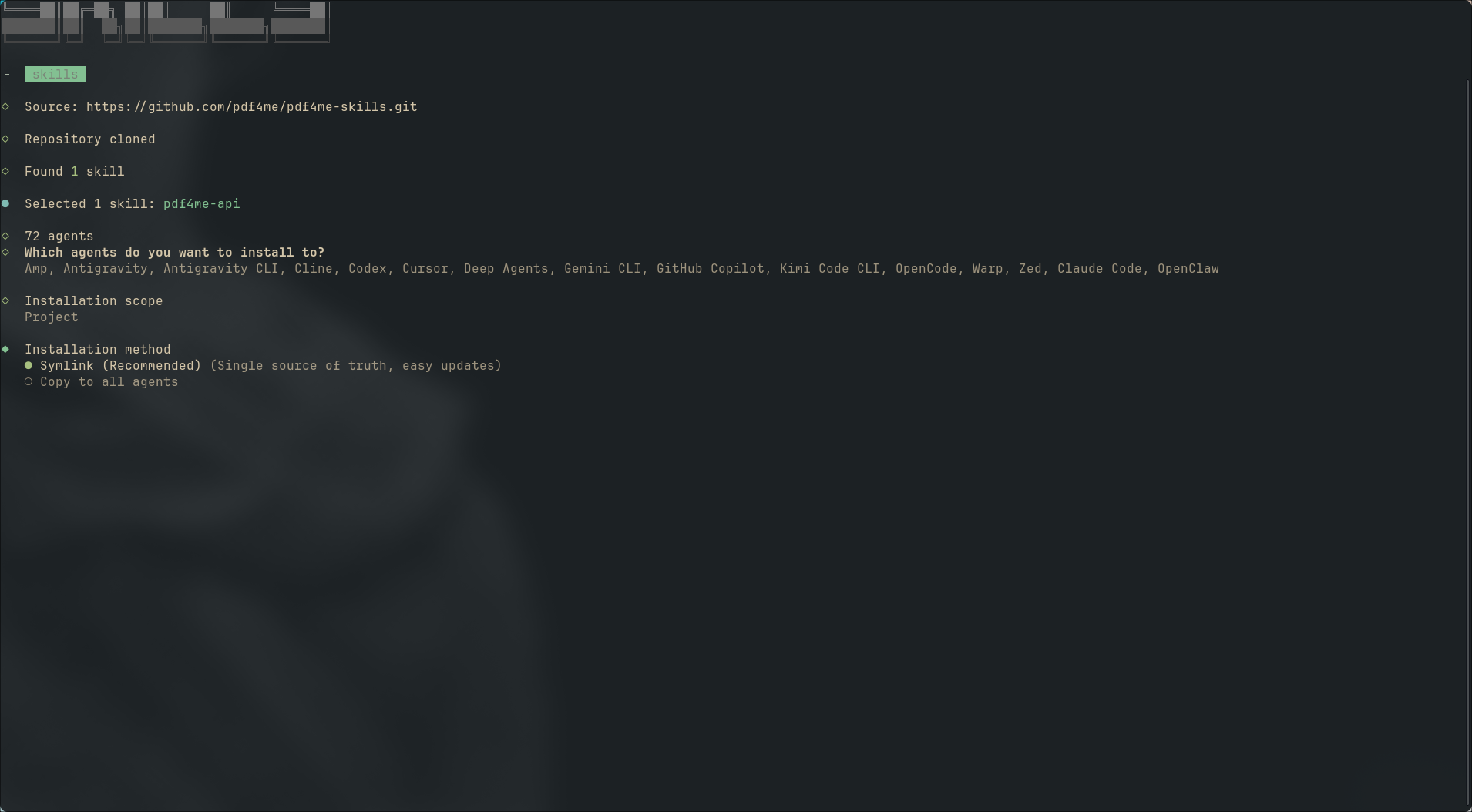
Symlink is the recommended default.
Step 5: Confirm and finish
Review the summary (install path, universal agents, symlinks for Claude Code if selected), confirm Yes, and wait for Installation complete.
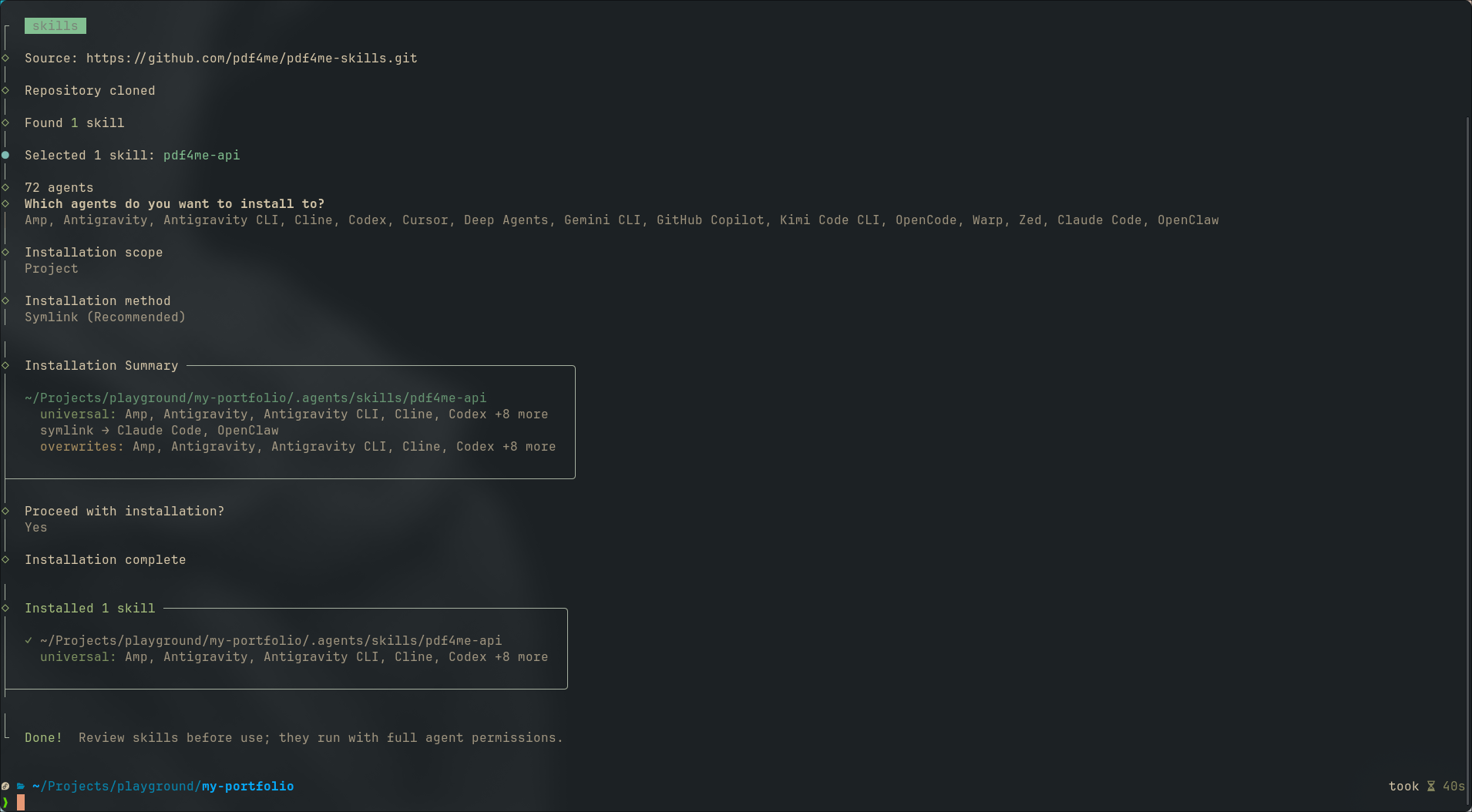
The skill is written to your project and linked to each selected agent.
The installer reminds you to review skills before use because they run with full agent permissions.
Step 6: Verify in your agent
Open your agent and start typing a PDF-related request. For example, in OpenAI Codex, typing pdf surfaces the pdf4me-api [Skill] suggestion with the skill description.
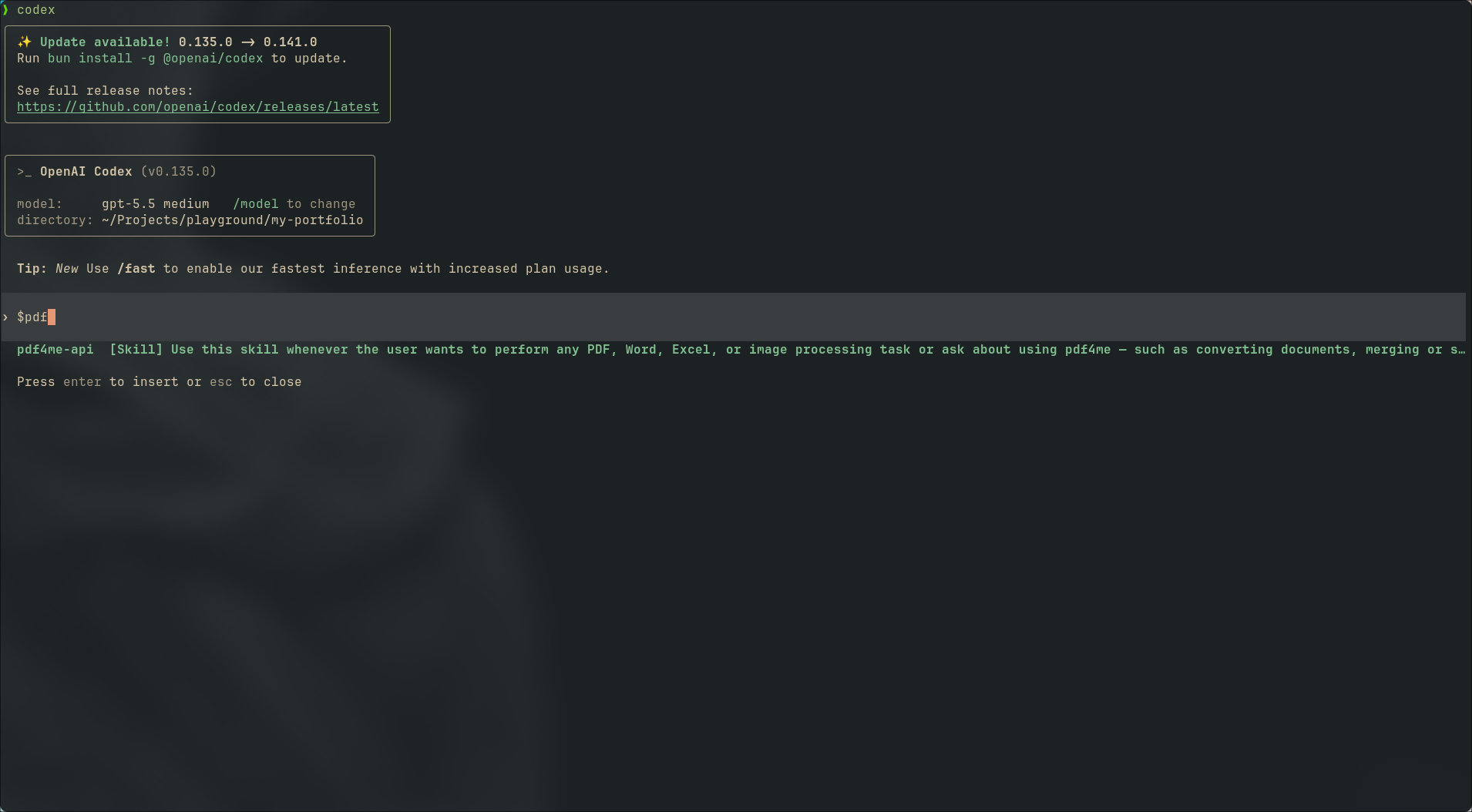
Codex recognizes the installed pdf4me-api skill.
Press Enter to insert the skill context, then describe your task (for example "convert this DOCX to PDF using PDF4me").
Provide your API key to the agent
The skill documents how to authenticate (Authorization: Basic <your_api_key>) but does not store secrets. When the agent generates code or curl commands, give it your key securely:
- Export
PDF4ME_API_KEY(or paste the key when the agent asks for runtime config) - Never commit API keys to git
See Connect to the PDF4me V2 API for the full auth and request format.
Example prompts after installation
Once the skill is installed, try prompts like:
- "Use PDF4me to merge these two PDFs and return base64 output."
- "Convert this Word template to PDF with the generate document endpoint."
- "Extract table data from this PDF with PDF4me."
- "Which PDF4me endpoint should I use to add a QR code to a PDF?"
The agent should load pdf4me-api, pick the correct reference file (for example references/merge-split.md or references/barcode.md), and produce a valid REST call.
Troubleshooting
The skill does not appear in my agent
- Claude Code: Run
/reload-pluginsafter install. Confirm you picked the correct scope (user, project, or local). - npx skills: Re-run the install command and verify your agent was selected. Check that
.agents/skills/pdf4me-api/SKILL.mdexists in your project. - Restart the IDE or agent session after the first install.
Claude Code vs npx skills: which should I use?
- Claude Code only: Use the
/plugin marketplacepath in the Claude Code tab above. - Cursor, Copilot, Codex, Cline, or multiple agents: Use
npx skills add …even if Claude Code is one of the selected agents.
How is this different from PDF4me MCP?
MCP wires a live PDF4me tool server into clients that support the Model Context Protocol. Agent Skills teach REST API usage inside agents that support the skills format. You can use both: MCP for in-chat tool calls, Skills for code generation and scripting.
Next steps
- Browse the PDF4me API reference for endpoint details the skill points to
- Set up PDF4me MCP if you want direct tool calling in MCP clients
- Star or fork
pdf4me-skillson GitHub for updates and new skills