Uraikan Dokumen di Zapier
PDF4me Uraikan Dokumen menjalankan templat parse yang Anda simpan terhadap PDF di dalam Zapier Zap akan mengembalikan field yang diekstrak dan siap dipetakan ke langkah berikutnya. Pemicu dapat diaktifkan dari lebih dari 6.000 opsi. Zapier aplikasi (Gmail, Dropbox, Slack, Google Drive, OneDrive, webhooks), merujuk pada templat dengan Nama Templat (TemplateId), dan mengarahkan nilai-nilai yang telah diurai langsung ke Google Sheets, Airtable, HubSpot, Pipedrive, QuickBooks, atau aplikasi hilir lainnya.
Sebelum Anda menjalankan tindakan ini: buat templat parse di PDF4me Dasbor. Tentukan kunci tangkapan Anda dan pilih Ekspresi Regex untuk pola yang stabil atau JavaScript Ekspresi untuk logika kondisional. Itu Zapier referensi tindakan yang templat oleh ID Templat. Melihat Siapkan Informasi Penguraian untuk Dokumen Untuk pengaturan lengkap, contoh Regex (INV-\d{6,10}, \d{2}/\d{2}/\d{4}), dan dua pekerja JavaScript Contoh pengklasifikasi ekspresi.
Memverifikasi Identitas Anda API Meminta
Yang PDF4me tindakan dalam Zapier membutuhkan PDF4me koneksi akunMasuk sekali dengan akun Anda. API kunci dan menggunakannya kembali di setiap PDF4me tindakan di Zap Anda.
Fakta Penting yang Tidak Boleh Anda Lewatkan
teks Variabel untuk klasifikasi dan aturan cadangan. Setiap kunci tangkapan menjadi bidang keluaran pada tindakan tersebut.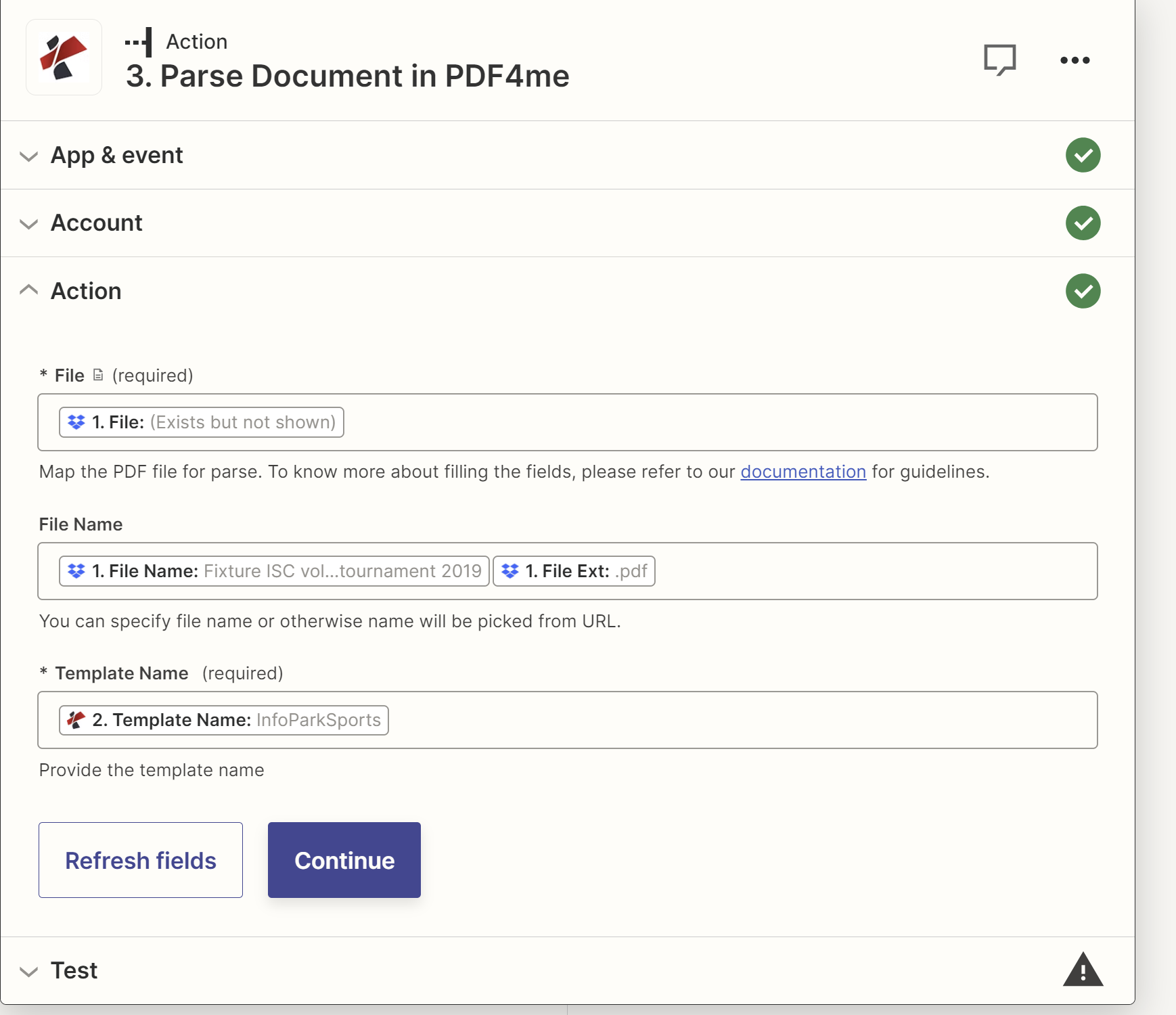
Parameter
| Parameter | Diperlukan | Apa fungsinya? | Contoh |
|---|---|---|---|
| File | Yes | Binary PDF from any upstream Zapier step: Gmail New Attachment, Dropbox New File in Folder, Google Drive New File in Folder, OneDrive New File, Slack New File, webhook with file payload. Pick from the prior step output. | Attachment from Gmail |
| Document Name | Yes | Source filename including .pdf extension. Usually mapped from the same upstream step Filename output. | invoice.pdf |
| Template Name | Yes | TemplateId GUID from the PDF4me dashboard. Identifies which parse template (capture keys + extraction rules) the action should apply. | 12345678-1234-1234-1234-123456789abc |
Jenis ekspresi dalam templat parse Anda
Ekspresi RegexPola yang stabilINV-\d{6,10}), tanggal (\d{2}/\d{2}/\d{4}), jumlah ($?\d{1,3}(?:,\d{3})*(?:.\d{2})?). Sekitar 80% kunci pengambilan produksi.Ekspresi JavaScriptLogika kondisional dan pengklasifikasiteks; mengembalikan string. Klasifikasi multi-marker, aturan cadangan, normalisasi tanggal. Lihat Siapkan Informasi Penguraian untuk Dokumen untuk dua sampel kerja.Keluaran
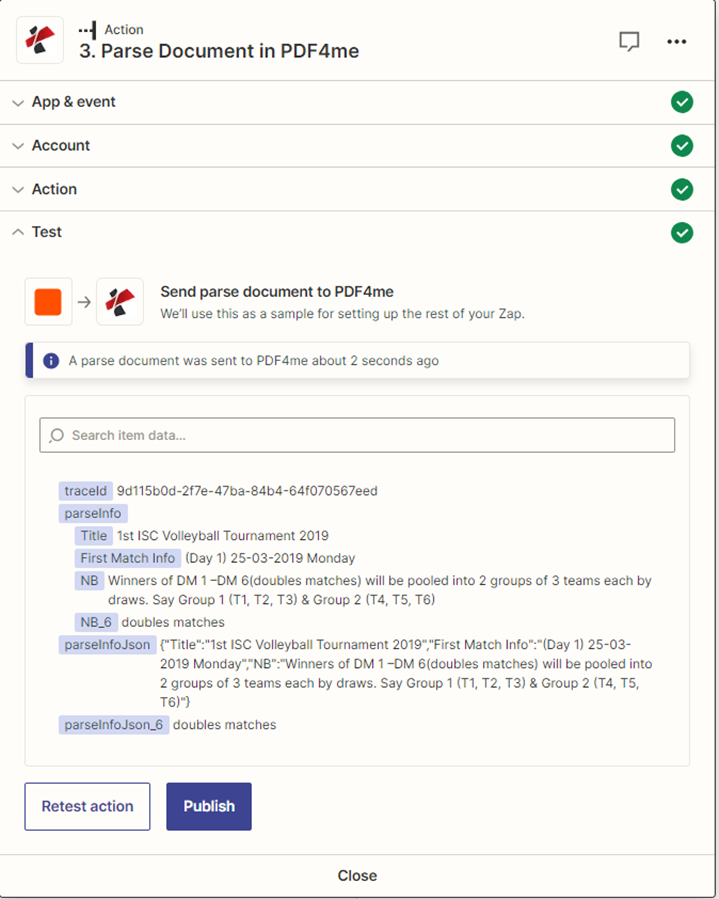
Aksi tersebut mengembalikan data bidang yang telah diuraikan sebagai Zapier Nilai keluaran, dengan satu kolom per kunci pengambilan data di templat Anda. Pilih nilai tersebut dari pemilih kolom dinamis di setiap langkah selanjutnya.
Contoh Zap
Pola Zapier umumTypical ways to chain Parse Document into a Zap.
- Fitur Lampiran Baru Gmail diaktifkan berdasarkan label seperti Faktur Vendor.
- Filter hanya akan memproses file yang berakhiran .pdf.
- Parse Document menjalankan templat Faktur terhadap lampiran.
- Google Sheets Create Spreadsheet Row menulis invoiceNumber, totalAmount, invoiceDate ke dalam pelacak AP.
- Dropbox New File in Folder dipicu pada /receipts.
- Parse Document menjalankan templat Tanda Terima.
- Airtable Create Record menulis vendor, tanggal, total, dan item ke dalam basis pengeluaran.
- Slack Send Channel Message memposting ringkasan ke #finance.
- Webhooks oleh Zapier Catch Hook menerima kontrak masuk. PDF.
- Parse Document mengekstrak pihak-pihak yang terlibat, nilai kontrak, tanggal mulai, dan tanggal berakhir.
- HubSpot Create or Update Deal menulis data kontrak ke dalam catatan kesepakatan.
- Webhook keluar memberi tahu pemilik kesepakatan.