Convert PDF to Mobi
This action takes one PDF and returns one Mobi file, the eBook format read by older Kindle devices and the Kindle apps. The page content from the PDF becomes the body of the eBook, and the author and title you enter are written into the file so reading apps show the right name on the cover and in the library list.
Reach for it when you want a document read on an e-reader rather than printed. Convert a staff handbook or product manual into a Mobi so it sits in a Kindle library, turn a finished PDF report into an eBook the moment it lands in a watched folder, or build a step that ships every new guide to readers in both PDF and Mobi form.
Configuration
Configure the Convert PDF to Mobi step in the workflow builder:
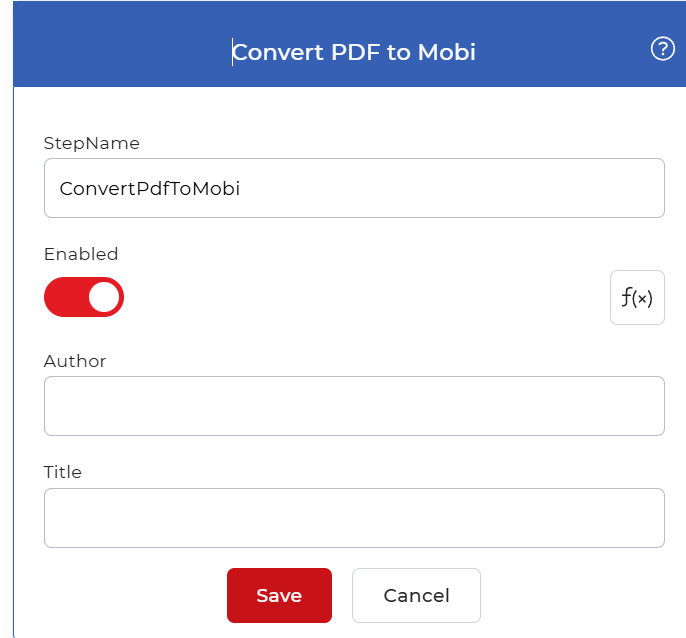
Action overview
| Input | Single PDF document |
| Output | Single Mobi eBook file |
Properties
Author
- Type: String
- Required: Yes
The author name written into the Mobi file. Reading apps and devices display this value next to the book in the library, so enter the person or organization you want shown there. You can type a fixed name or map a value from an earlier step, such as the author field on an incoming record.
Title
- Type: String
- Required: Yes
The title written into the Mobi file. This is the name the eBook shows on its cover entry and in the reader's library, and it does not have to match the source PDF file name. Set a readable title, or map it from a previous step so each converted document carries its own.
How to use in a workflow
Place Convert PDF to Mobi after the step that supplies the PDF, which is either a trigger that picks up a new file or an earlier action that produced one. Feed the author and title from fields on that incoming file when you want each eBook named from its own data. The single Mobi file it returns then goes to a save or send step, such as Save to Dropbox or an email action, to deliver the eBook to its destination.
Try it in PDF4me Workflows
Open the Workflows dashboard, create a workflow, and add the Convert PDF to Mobi step to run this on your own documents.